One set of books for every store you run.
Mercury gives each branch its own accounts and ledger, and brings them together so you can see balances, spending and reconciliation at a glance.

Why Mercury
Spreadsheets stop scaling the day you open a second store.
Money for one shop is easy to follow. Across several, it scatters. Mercury gives every branch its own books and pulls them into one view you can trust.
- One workspace for every branch
- Each store keeps its own accounts and staff
- Balances you can trace back to the ledger
Stores
Every store gets its own books.
Register your business once, then add each branch. Mercury keeps accounts, staff and activity separate per store, while you see the whole business at once.
- Add a branch whenever you open one
- Accounts, staff and history for every store
- One overview across every location

Accounts
Buckets that show where every naira belongs.
Split money into Operating, Settlement, Inventory and spending accounts. Balances are calculated from ledger entries, never typed in by hand.
- Accounts for operating, settlement, inventory and spending
- Balances derived from the ledger
- Trace any figure back to the entries behind it

Reconciliation
Close each day knowing it adds up.
Compare the day's payments received against sales and see when a store has reconciled. Open any transaction to trace exactly what happened.
- Payments received against sales, per day
- A clear reconciled status for each store
- Filter activity by store or account

And more
Everything around the ledger.
The details that make day-to-day work across several stores feel calm.
One overview
Balances, sales and recent activity across every store on a single screen.
Transaction log
A full activity log you can filter by store and account.
Detail on demand
Open any transaction or account in a side panel without losing your place.
Staff
Add your team and place them in the stores they work in.
Customer payment page
A simple page per store with clear bank transfer details, recorded against that store.
Guided setup
From owner account to first store, with each step laid out for you.
How it works
Set up once, then follow the money.
Three steps from an empty workspace to every store reconciled.
- 01
Register your business
Create your Mercury workspace as the owner. You only set up the business once.
- 02
Add your stores
Add each pharmacy or shop, along with the staff who work in it. Every store gets its own set of accounts.
- 03
Track every naira
Record what comes in and what goes out against each account. Balances and reconciliation update from the ledger.
Screens
A quiet interface that puts the numbers first.
Browse the desktop app as it is being designed.
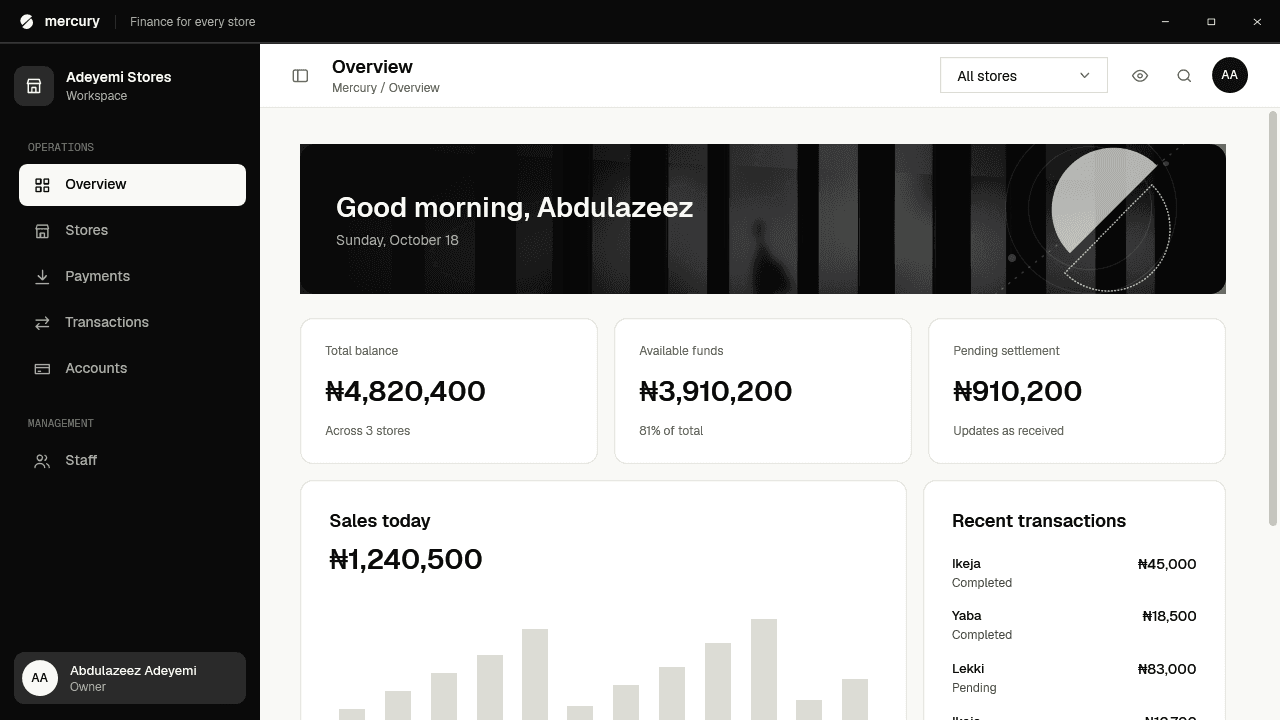
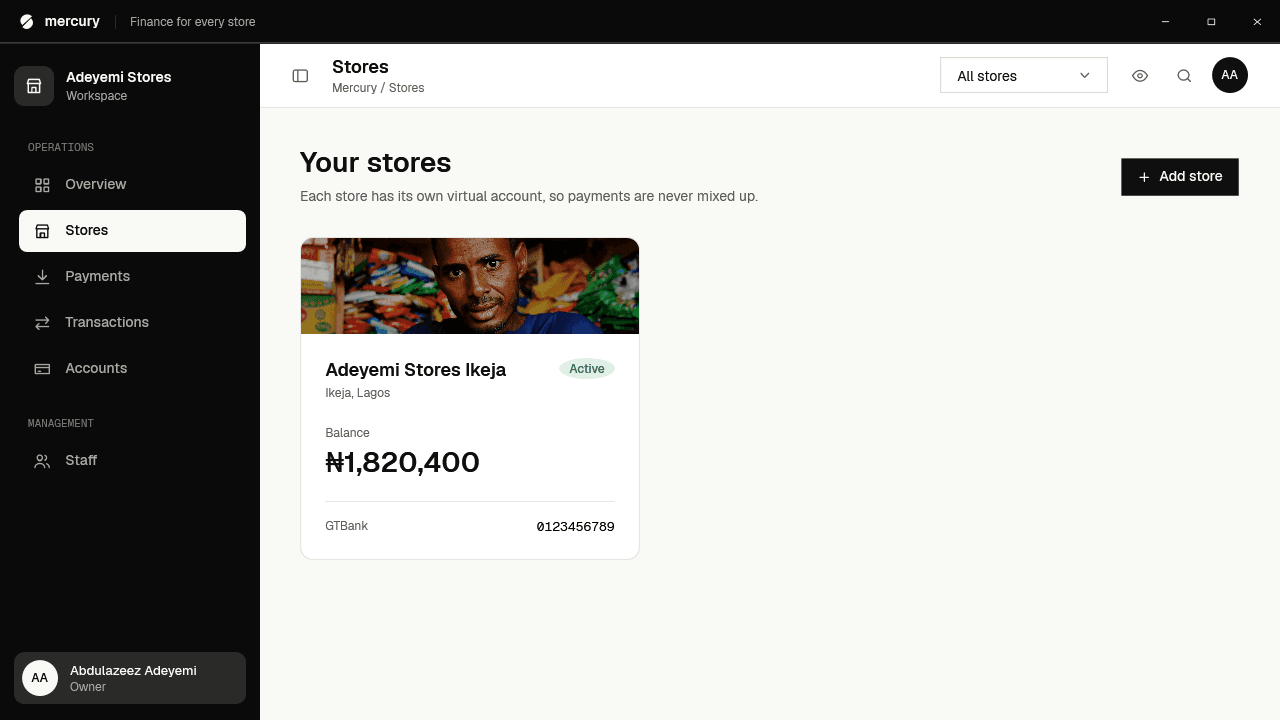
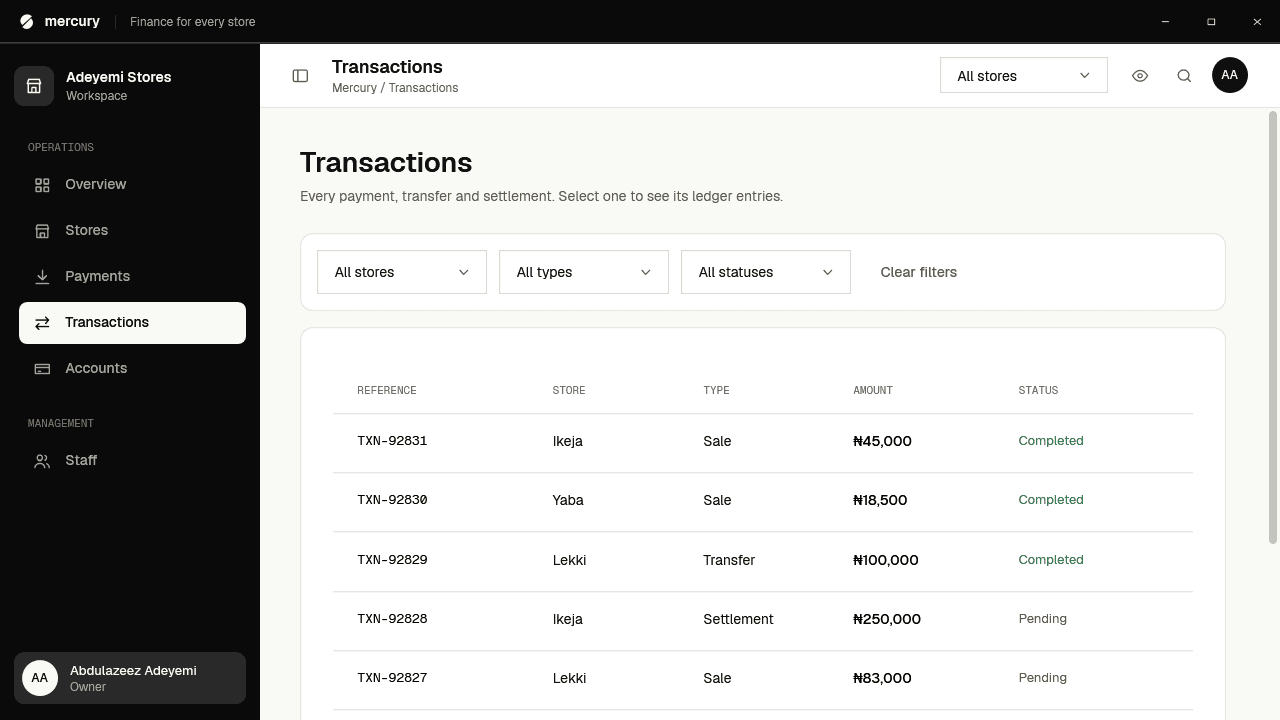
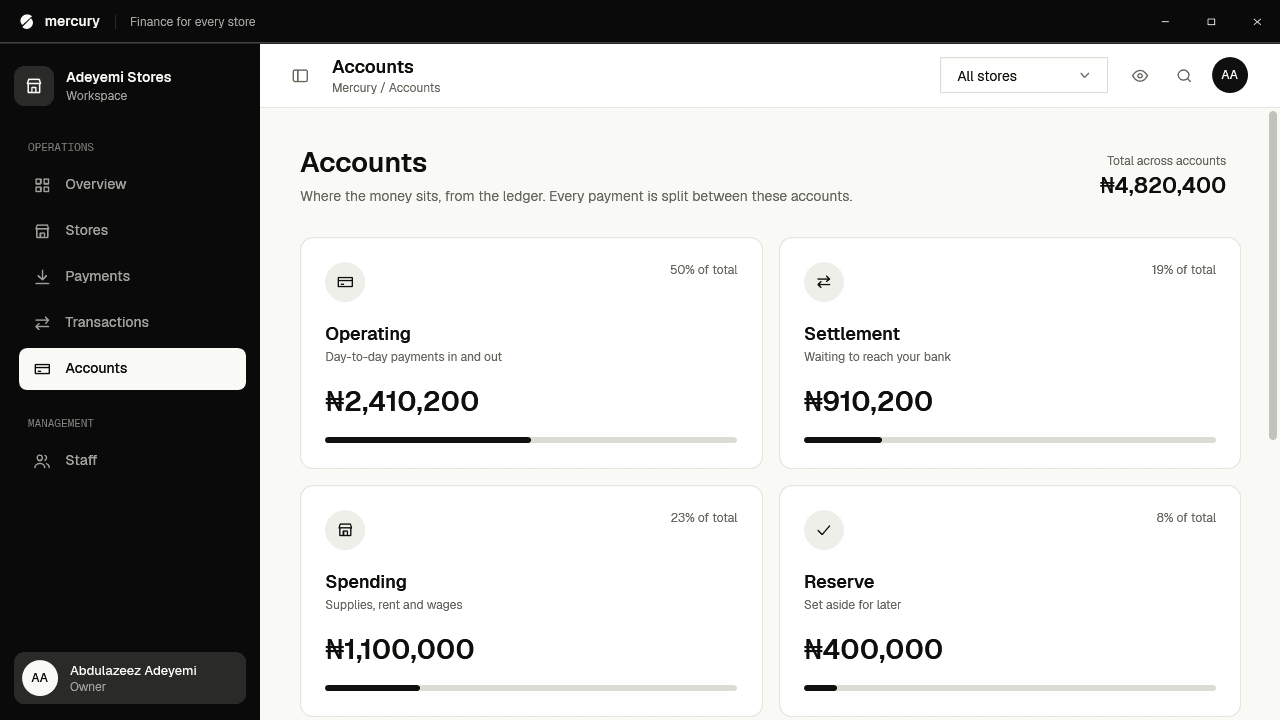
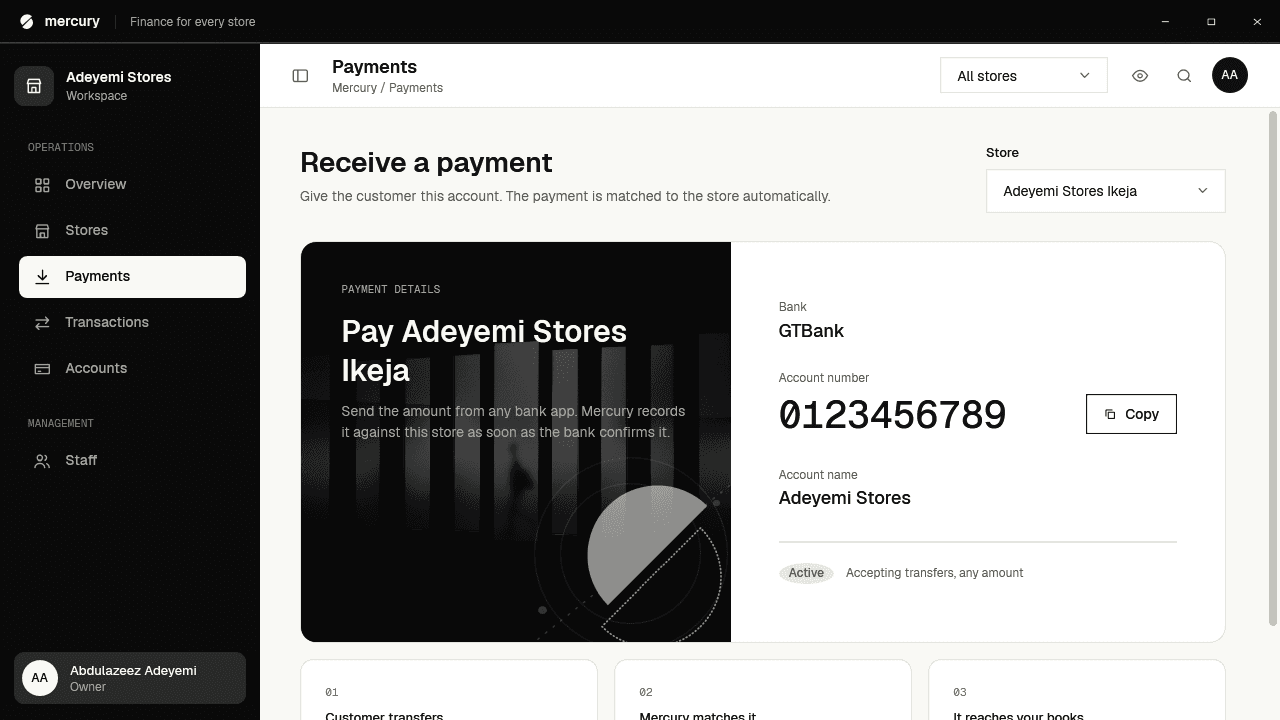
Overview. Total balance, available funds and today's sales across every store, with recent transactions alongside.
FAQ
Questions, answered.
Anything else you would like to know before Mercury opens up?

See where every naira goes.
Mercury is opening to a small group of businesses first. Join the waitlist to be one of them.