Download
Mercury for Windows.
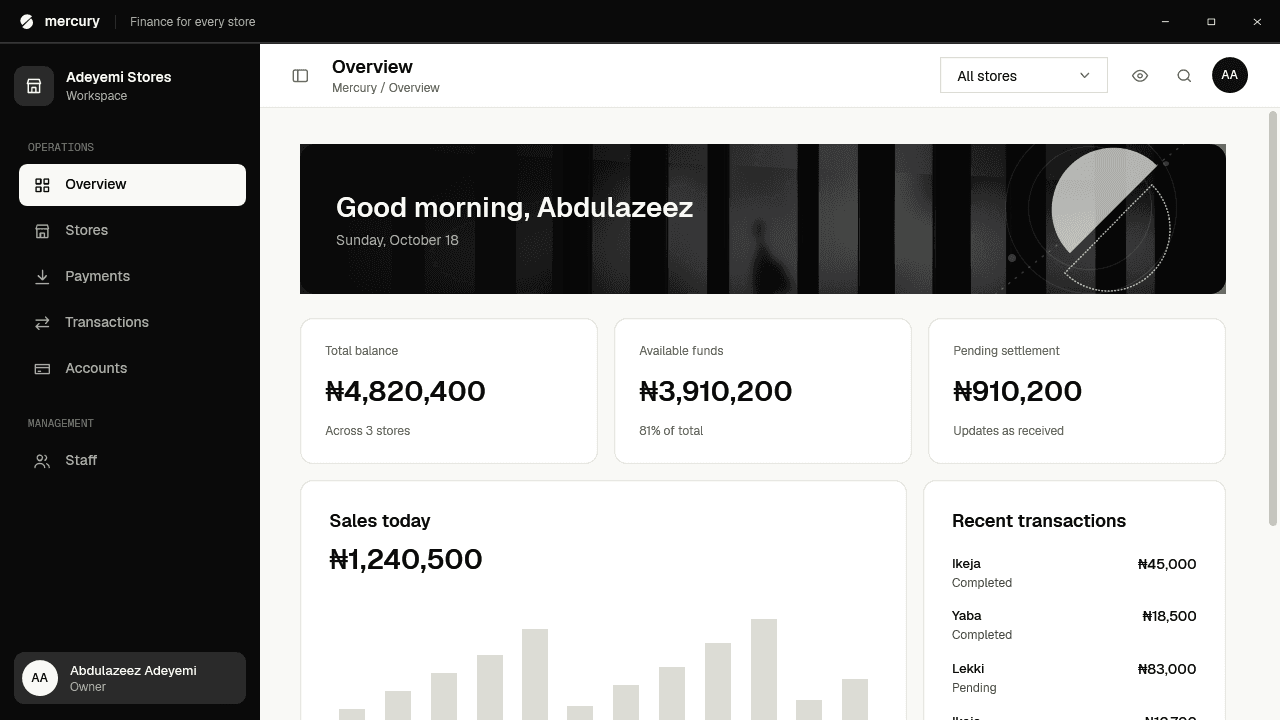
A fast desktop app for owners who run more than one store. Sign in and see every branch in one place.
Version 0.2.0 · 58 MB
Mercury for Windows
Download Mercury 0.2.0
Windows 10 and 11, 64-bit.
Download for WindowsEarly release. It is free while we are in testing.
- Version
- 0.2.0
- Platform
- Windows 64-bit
- Size
- 58 MB
- Released
- October 2026
SHA-256
b1680fa9abe28d6063bce5456c93f6e59d059a2e2f1ff9c9005e893c12c0f321Inside the app
This is what you will be running.
Screenshots from the Windows app, not mock-ups.
One view of every store
Balances, sales and what is waiting to settle, the moment you open the app.
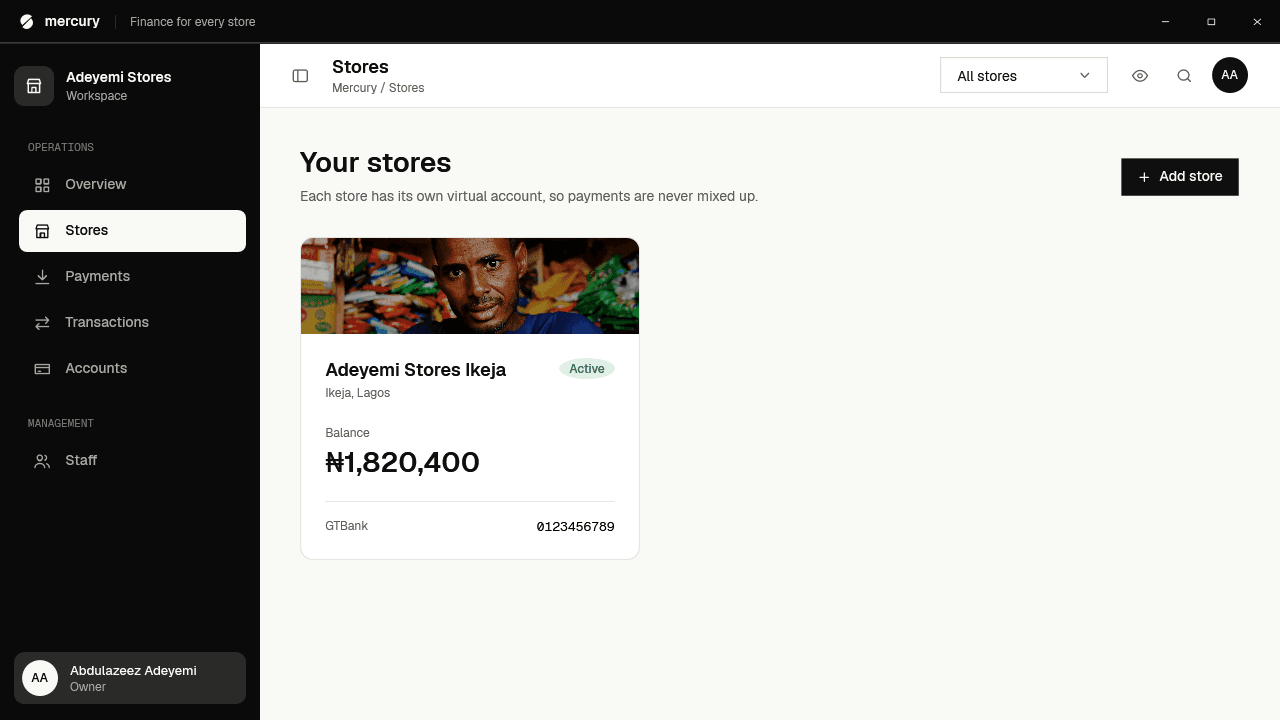
Every store, its own books
Each branch has its own virtual account, so payments never get mixed up.
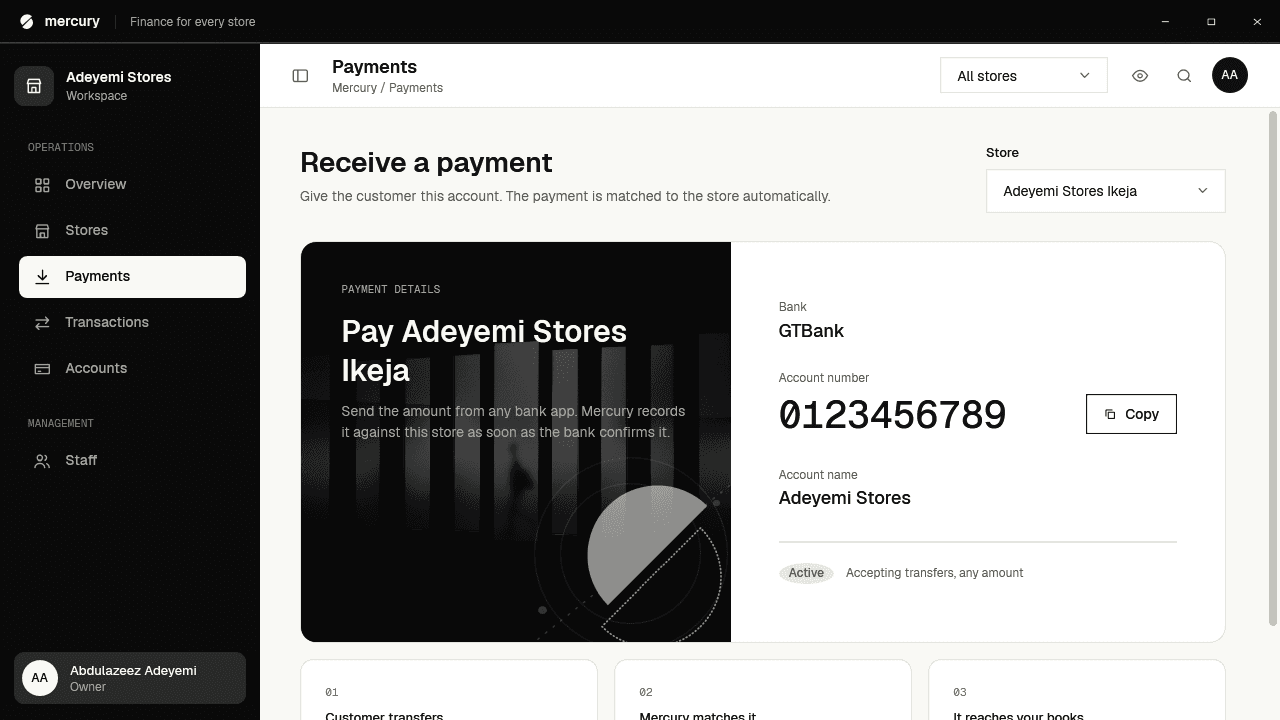
Show customers where to pay
Pick a store, read out the account number or copy it in one click.
Getting started
Running in three steps.
- 1
Download the installer
Save Mercury-Setup and open it. If Windows shows a SmartScreen notice, choose More info, then Run anyway.
- 2
Install and open Mercury
Follow the setup wizard. It adds a Start menu shortcut, and an optional one on your desktop.
- 3
Set up your business
Create an account, add your first store and copy its payment account. It takes a few minutes.
What you need
- Windows 10 (version 1809) or Windows 11, 64-bit
- Nothing else to install: the .NET runtime is included
- About 200 MB of free disk space (no administrator rights needed)
- An internet connection to sync your stores

See where every naira goes.
Mercury is opening to a small group of businesses first. Join the waitlist to be one of them.